
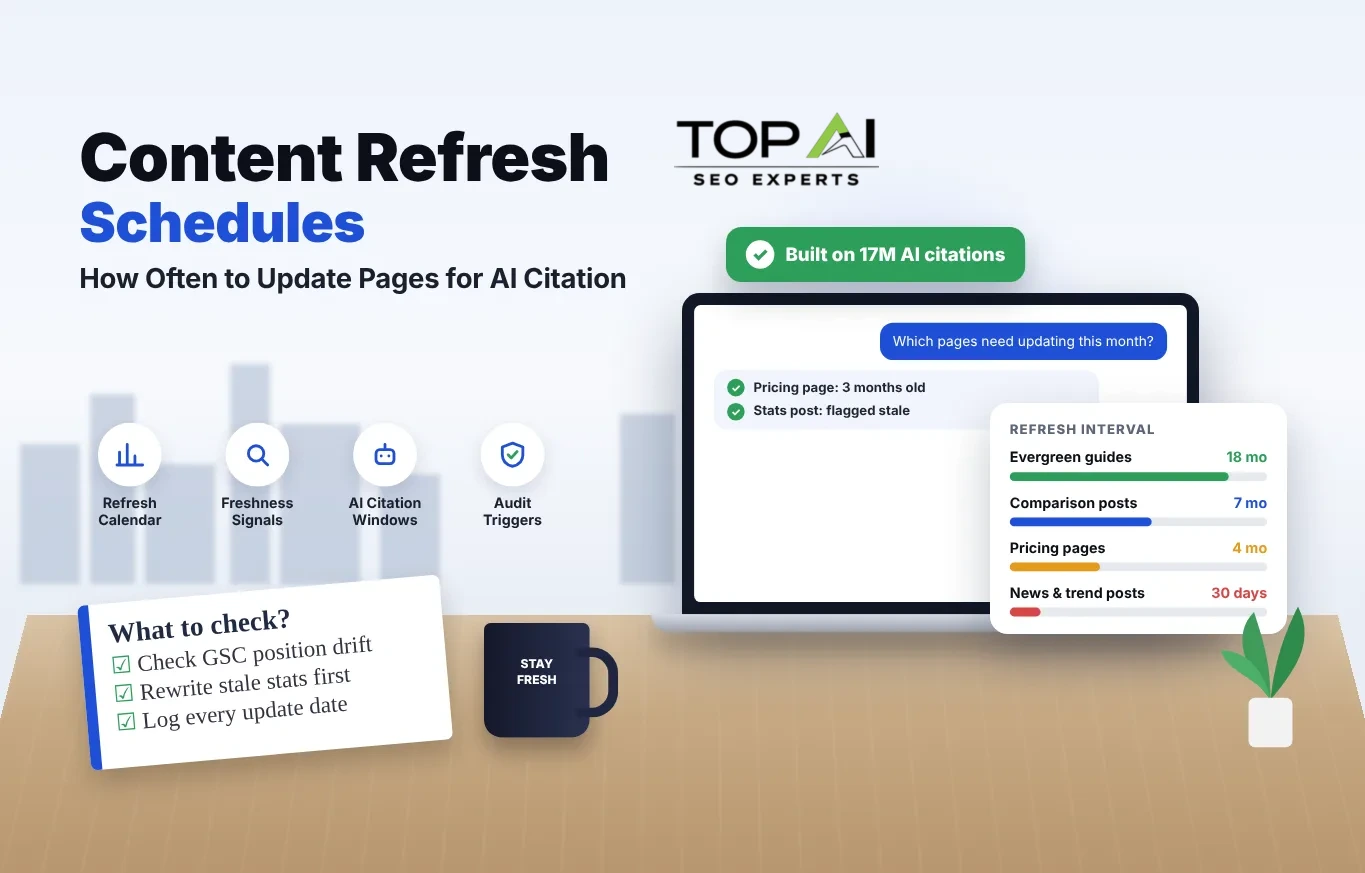
- Match cadence to decay rate. News and trend posts go stale in weeks; evergreen definitional guides hold value for well over a year.
- AI assistants skew toward newer pages than organic search does. An Ahrefs analysis of 17 million citations found ChatGPT’s cited sources averaged noticeably newer publish and update dates than ranked organic results.
- A real update changes substance, not just a date. Google has said publicly that editing the visible date without changing the content is treated as a spam signal.
- Let Search Console tell you when, not a calendar alone. Position drift, CTR decay, and impression drops are earlier warnings than any fixed interval.
Most pages should get a light check every 3 to 6 months and a substantive rewrite on a schedule set by how fast the facts inside them age: weekly for breaking news, monthly for pricing, roughly every 6 to 9 months for comparison content, and every 12 to 18 months for evergreen definitional guides. That’s the short version. The calendar below breaks it down by page type, with the triggers that should move a page up the queue regardless of when it’s “due.”
Why freshness matters now
Content freshness has been part of Google’s ranking systems since the 2010 Caffeine update, which was built to surface recently published and recently updated pages faster, especially for time-sensitive queries. That’s old news in search terms. What’s changed is who else is reading your dates.
Large language models answering questions through ChatGPT, Perplexity, Gemini, and Google’s AI Overviews pull from a smaller, more curated set of sources than a traditional ten-blue-links page, and they appear to weight recency more heavily than organic ranking does.
“Pages cited by AI platforms were published 1,064 days before analysis on average, compared to 1,432 days for organic results, a 25.7% difference. The gap was largest for ChatGPT, where cited URLs skewed newest.”
Ahrefs, AI Assistants Prefer to Cite Fresher Content (17M citations analyzed)Two caveats worth keeping in view. First, that 25.7% gap is a difference in average age between two already-old populations: even AI-cited pages average close to three years old, so “fresh” here means relatively fresher, not brand new. Second, the same analysis found Google’s AI Overviews were the least freshness-sensitive of the platforms studied, with cited content averaging only about two weeks older than organic results. Freshness is a real signal, not the only one, and its size varies by platform.
The information half-life model
The question “how often should I update this page” has no single right answer because it depends on how quickly the facts in that page decay. Borrowing the idea of a half-life from physics is a useful shortcut: every page type has a rough point at which half of its original value, measured as accuracy plus citation-worthiness, has eroded. Fast-decaying content needs frequent attention in small doses. Slow-decaying content needs infrequent but more thorough attention.
The chart below plots four common page types on that curve. It’s a model, not a measurement of your specific pages, but it gives you a starting point that beats guessing or copying a competitor’s “update everything every quarter” advice.
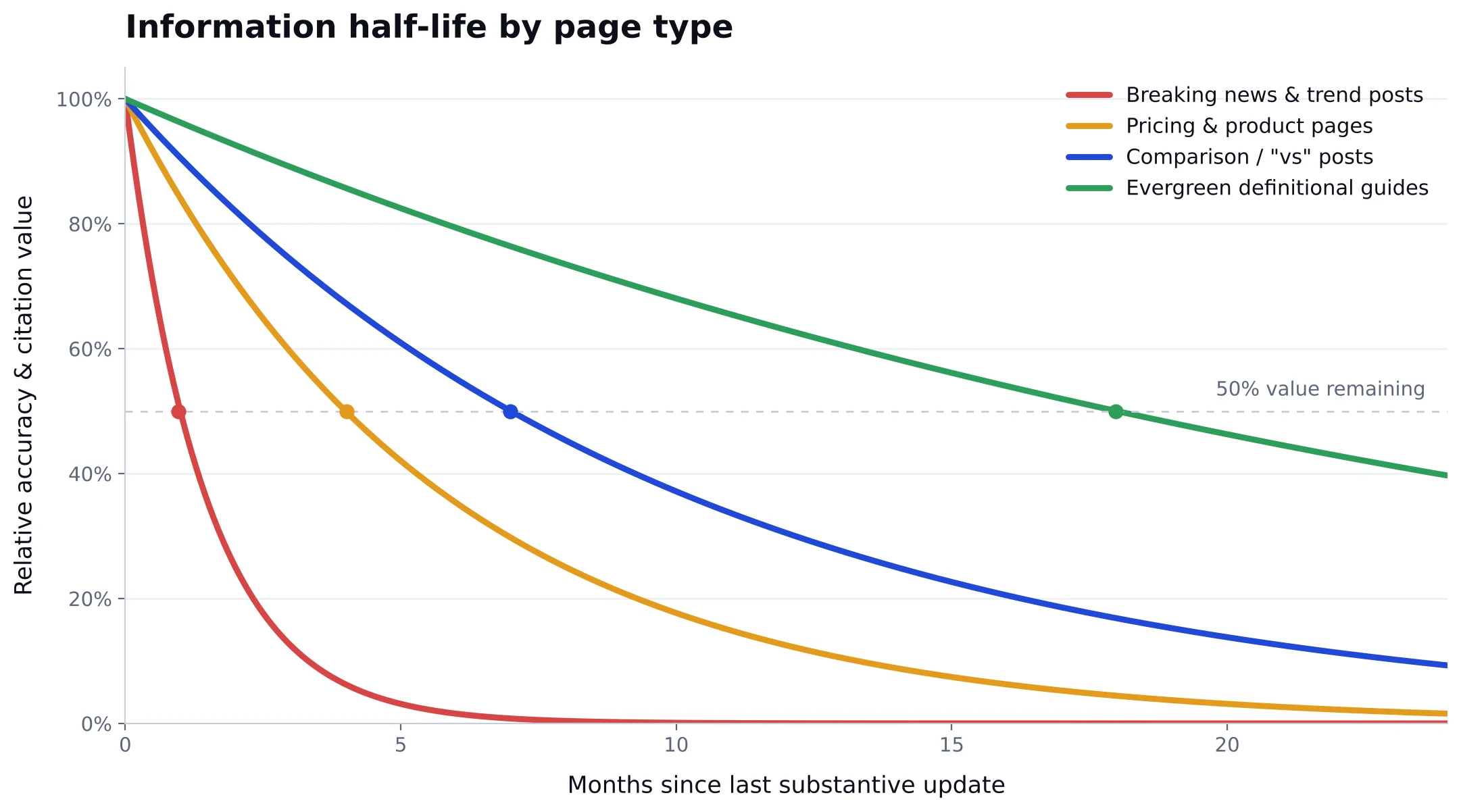
Two variables determine where a page sits on this curve: how often the underlying facts change (prices, regulations, tool features, rankings) and how much traffic or revenue depends on that page staying accurate. A high-traffic page with fast-decaying facts, like a pricing comparison in a market with frequent plan changes, earns the tightest refresh interval on your whole site. A low-traffic evergreen glossary entry can wait a year without real damage.
The refresh calendar by page type
Use this as a starting template, then adjust intervals up or down based on your own Search Console data and how fast your niche actually moves.
| Page type | Light check | Substantive refresh | What usually goes stale first |
|---|---|---|---|
| News, trend recaps, “what’s new in [year]” | Weekly | Every 2-4 weeks while timely, then archive or redirect | The entire premise of the post |
| Pricing and product pages | Monthly | Every 3-4 months, or immediately on any price or feature change | Numbers, plan names, screenshots |
| Comparison and “X vs Y” posts | Quarterly | Every 6-9 months | Feature tables, competitor claims, pricing |
| Statistics and data roundup posts | Quarterly | Every 6-12 months, or when the cited source publishes a new edition | Every individual stat and its source link |
| How-to and process guides | Every 6 months | Every 9-15 months | Tool UI screenshots, step order, deprecated methods |
| Evergreen definitional guides (“what is X”) | Every 6-9 months | Every 12-18 months | Examples and context, rarely the core definition |
| Local or location pages | Quarterly | Every 6-12 months, or on any address, hours, or service-area change | NAP details, service lists, local proof points |
| Service and category pages | Quarterly | Every 6-12 months | Offer details, case studies, calls to action |
| Legal, policy, and FAQ pages | Every 6 months | Every 12 months, or immediately on a regulatory change | Compliance language, dates, contact details |
Tip: keep a simple spreadsheet with one row per URL: page type, last substantive update, next review date, and the Search Console metrics at last review. It takes twenty minutes to set up and saves you from relying on memory for a hundred-plus page site.
Not sure which pages are actually losing ground?
A quick audit shows you exactly which URLs are drifting in rankings, AI citations, or both before you spend a single hour rewriting.
What counts as a real update
Google has been explicit that swapping the visible date on a page without meaningfully changing its content is not a legitimate freshness signal and can be treated as a spam pattern under its guidance on publication and byline dates. The magnitude of the change matters more than the fact that a change happened at all.
- Rewriting outdated numbers, prices, or statistics with current, sourced figures
- Adding a new section that covers a gap competitors or AI answers are filling that you aren’t
- Replacing a deprecated process, tool, or screenshot with the current version
- Cutting a section that’s no longer accurate or relevant rather than leaving it to rot
- Updating internal links to point at your current best resource instead of an orphaned or merged page
- Re-answering the query more directly near the top if the original intro buried the point
What doesn’t count: changing the “last updated” date alone, swapping a synonym here and there, or re-publishing with a new feature image and no content change. These cosmetic edits are easy to spot both by algorithms and by readers who land on a “recently updated” page that reads exactly like the version from two years ago.
Trigger-based signals to watch
A calendar tells you when a page is probably due. Your own performance data tells you when it’s actually losing ground, which should jump the queue regardless of schedule. Pull this from Google Search Console roughly once a month.
Average position sliding
A page that’s drifted from position 4 to position 9 over 60-90 days is losing to something, usually a more current competitor.
Click-through rate falling at a stable position
If rank holds but CTR drops, your title or snippet is losing to a result that looks more current or more useful.
Impressions dropping with rank unchanged
Often means the query landscape shifted and new related questions appeared that your page doesn’t answer yet.
A cited source changed or republished
If a stat, study, or price you quote has a newer edition, your page is now citing outdated information even if nothing else changed.
The AI citation window
Treat AI citation freshness as a layer on top of your SEO refresh calendar, not a separate system. The Ahrefs analysis referenced earlier found the recency gap wasn’t uniform across platforms: ChatGPT’s in-text references and citations skewed hundreds of days newer than matched organic results, while Google’s AI Overviews showed only a small freshness preference. Perplexity and ChatGPT also appeared to order sources from newest to oldest within their citation lists in that dataset, which is a reasonable signal that placement, not just inclusion, may reward recency.
Practically, that means your fastest-decaying, most citation-worthy content, data posts, comparison pages, and anything answering a question people ask an AI assistant directly, deserves the tightest end of the refresh calendar above. A guide that’s accurate but two years stale on its examples is a weaker citation candidate than a competitor’s six-month-old version covering the same ground, even if your underlying analysis is better. For a deeper look at tracking whether your pages are actually showing up in AI answers, see our guide on measuring AI SEO success.
A step-by-step refresh workflow
Pull the trigger list
Export Search Console data for pages due by calendar plus anything showing the drift signals above. Sort by traffic value to prioritize.
Re-run the SERP and AI check
Search the primary query in an incognito window and ask the same question to a couple of AI assistants. Note what’s ranking or getting cited that wasn’t there at last update.
Fix facts before structure
Update numbers, dates, and claims first. Only restructure headings or add new sections if the gap analysis shows a real content hole.
Keep the URL and backlinked sections intact
Don’t change the slug or delete sections other sites link to. Redirect only if the page is being fully retired.
Update the visible and structured date together
Change the on-page “updated” date and the dateModified field in your schema markup at the same time you change the content, not before.
Log it and set the next review date
Record what changed and when in your tracking sheet, then set the next check based on the page type’s half-life, not a flat default.
Common mistakes
Refreshing by traffic rank alone
Your highest-traffic pages aren’t always your highest-risk pages. A mid-traffic pricing page that’s wrong costs you conversions faster than a stable top performer needs a touch-up.
Treating every page the same
Applying one interval site-wide either wastes effort on evergreen content that didn’t need it or leaves fast-moving pages stale for months.
Rewriting instead of pruning
Some pages have no decay-worthy value left: the topic died, the product was discontinued, or a better page on your own site already covers it. Consolidate or redirect instead of refreshing forever.
One trade-off worth naming honestly: an aggressive refresh schedule across a large site is expensive in writer and editor time, and not every page earns that investment. Start with the 15-25% of pages that drive most of your organic traffic and revenue, build the habit there, and expand outward as capacity allows. For a broader look at where to find structural gaps worth fixing first, our technical SEO checklist is a useful companion to this process.
Frequently asked questions
01How often should I update my website content for SEO?
There’s no single number. Base the interval on how fast the facts in that specific page change: weekly for news, every 3-4 months for pricing, every 6-9 months for comparisons, and every 12-18 months for evergreen definitional content, then pull pages forward whenever Search Console shows position or CTR decline.
02Does changing the “last updated” date without editing content help rankings?
No. Google has stated that updating a displayed date without a corresponding content change is misleading and can be treated as a spam signal. The update needs to change substance, not just the timestamp, to have any effect.
03Do AI tools like ChatGPT and Perplexity really prefer newer content?
An Ahrefs analysis of 17 million AI citations found pages cited by AI assistants averaged noticeably newer publish and update dates than organic search results, with the effect strongest for ChatGPT and weakest for Google’s AI Overviews. It’s a real but platform-dependent tilt, not a guarantee that the newest page wins.
04Should I rewrite a whole page or just fix the outdated parts?
Fix facts first: numbers, dates, deprecated steps, and dead links. Only restructure or expand the page if a gap analysis against current top results and AI answers shows you’re missing something they cover. Keep the URL and any heavily backlinked sections intact either way.
05How do I know which pages to refresh first if I can’t update everything?
Start with the small set of pages driving most of your organic traffic and revenue, then within that set prioritize anything showing a position drop, a CTR decline at stable rank, or a cited source that’s since been updated. That combination of business value and decay signal beats working strictly off a calendar.